Get started
Download Zivo.
Free on the App Store for iPhone. Sign up with your phone number, look around with sample data, and activate membership when you're ready.

On a computer? Scan with your iPhone camera to open the App Store.
iPhone · United States. Android isn't available yet — email us to be notified.
- 01
Install and sign up
Mobile number plus an SMS code. Under a minute.
- 02
Set your PIN
Four digits so you can sign in fast — Face ID optional.
- 03
See your numbers first
Sample data and a guided tour. Nothing is charged.
- 04
Activate Zivo when ready
Identity check, plan, paycheck account. Approval takes 1–3 business days.
Questions before you install? Read the FAQ or email support@zivoneobank.com.
Start to finish
From signup to your first advance.
- 01
Create your account
Your mobile number and a quick SMS code. No credit check. No long forms.
- 02
Profile and PIN
Legal name, date of birth (18+), email, and state. Then a 4-digit PIN — Face ID optional.
- 03
Explore Zivo Demo
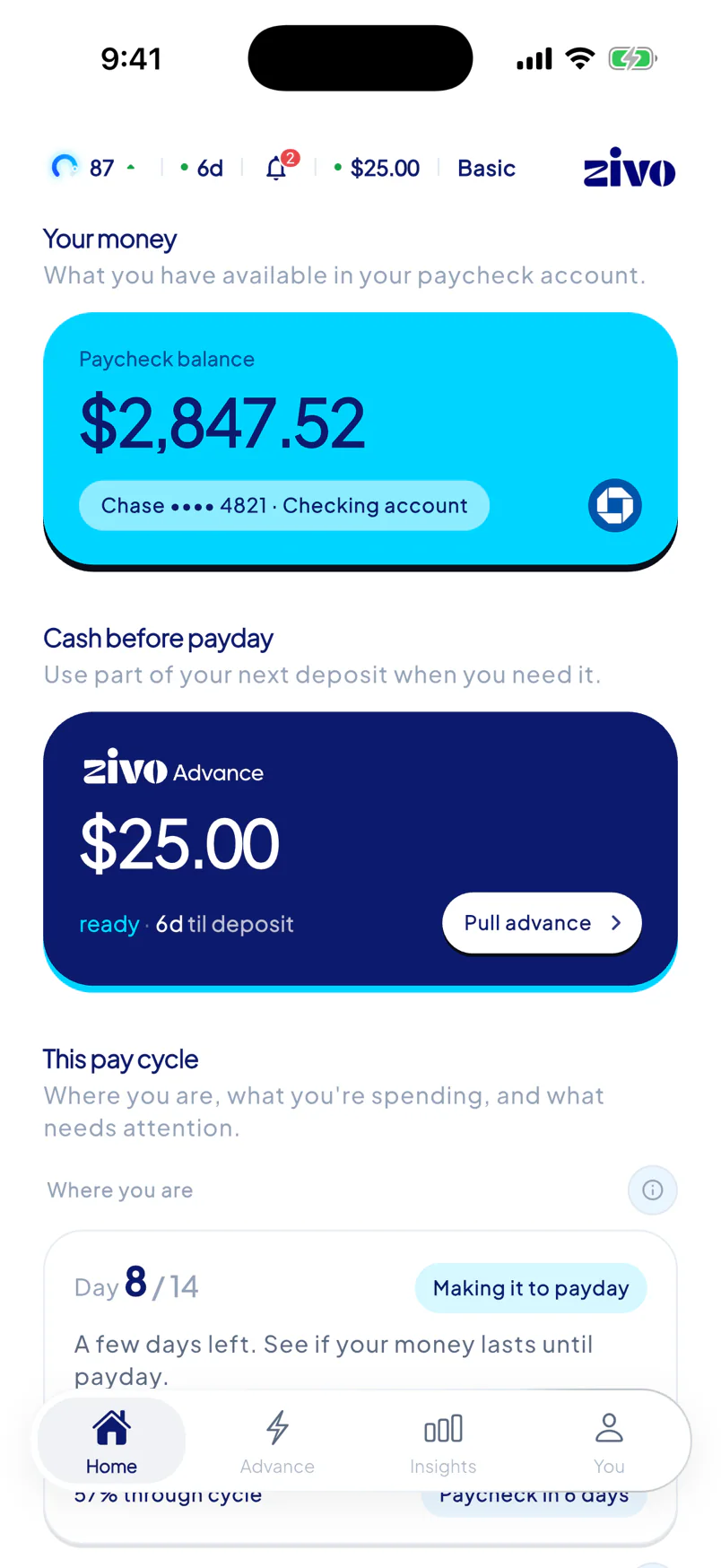
Land on Home with sample data. Try Advance, Insights, and budgeting before you commit.
- 04
Activate Zivo
Live selfie, driver's license, a card for membership billing, your plan, and your paycheck account via Plaid.
- 05
Approval
Typically 1–3 business days. Fast-track review brings that to about 1 business day.
- 06
Your first Zivo Advance
Confirm payroll, pick $25–$150, choose Standard or Instant, see the Access Fee, and confirm.